As a Software Engineer, you have many things on your plate. That’s why it’s important to make your setup and environment supportive, so you’re more productive.
Use your time wisely because that’s our most precious resource.
There are many things you can do to achieve that:
- setup your terminal
- automate common workflows
- simplify daily tasks
- enrich the tools you use
In this article, I’ll share 6 of the tools I use daily. They help me to simplify my daily work routine and enrich the tools I use, so common tasks become no-brainer.

1. Refined GitHub
Refined GitHub is a browser extension that simplifies the GitHub interface and adds useful features.
Some of my favorite additions to the original GitHub’s interface are:
- makes whitespace characters visible
- adds a link back to the PR that ran the workflow.
- adds reaction avatars showing who reacted to a comment
- uses the PR’s title as the default squash commit title and updates the PR’s title to match the commit title, if changed
- and much more…
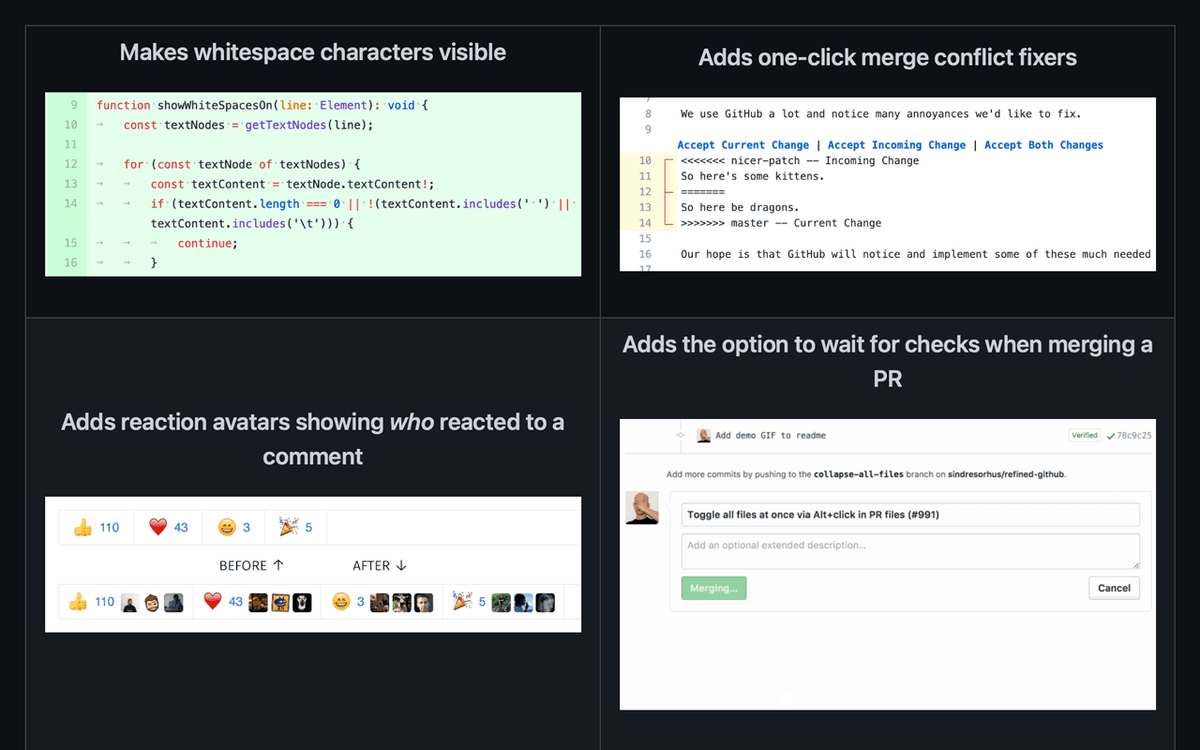 Credits: Refined GitHub.
The extension is available for Chrome, Firefox, and Safari. For Chrome, you can install it from here.
It’s also open-source and you can find it on GitHub: here.
P.S. If some of the features are already available on GitHub, please, excuse me. I’ve been using the extension for a long time.
2. Maccy
Maccy is a lightweight clipboard manager for macOS. It keeps the history of what you copy and lets you quickly navigate, search, and use previous clipboard content.
The next time you copy several things after each other, don’t worry, just open Maccy and see what you’ve copied. I use it daily to find links, database ids, texts, etc.
You can learn more about Maccy and download it on their GitHub here or on their website.
Note: Maccy is only available for macOS but I believe there’s an alternative app for Windows or Linux.
3. Rectangle
Rectangle helps you move and resize windows in macOS using keyboard shortcuts or snap areas.
As a Software Engineer you probably work with multiple terminals and windows daily, so having a handy tool to automatically manage them is essential. It boots your productivity.
You can easily position the windows in various directions and sizes like:
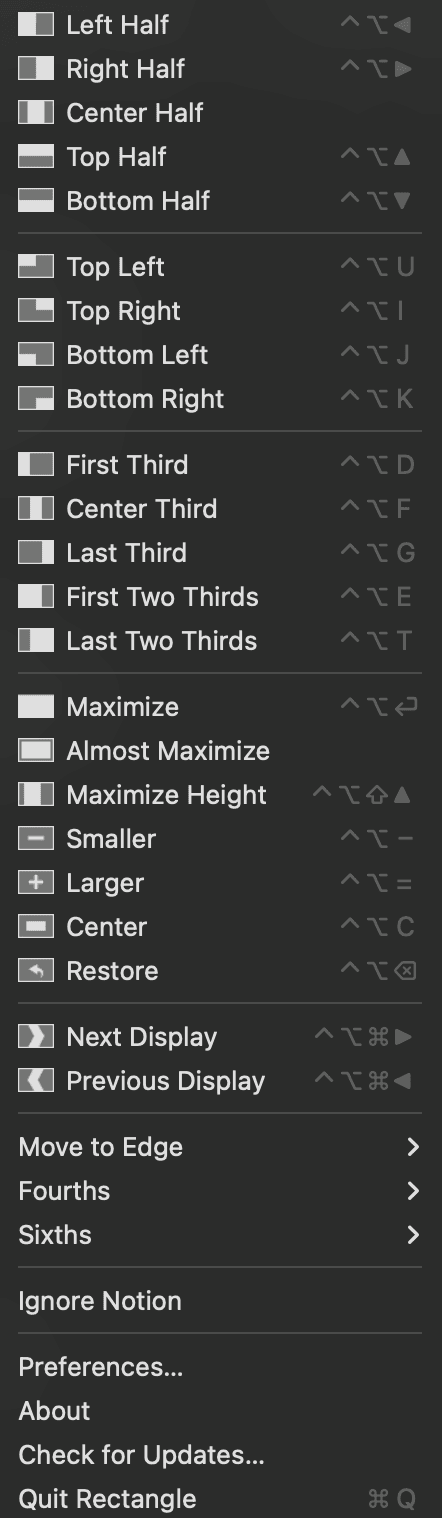
You can learn more about Rectangle and download it on their GitHub here or on their website.
Note: Rectangle is only available for macOS but I believe there’s an alternative app for Windows or Linux.
4. Lunar
Lunar helps you adjust the brightness, colors, volume, and inputs of your external monitors.
It’s a handy tool to control your monitor’s brightness, depending on the sunlight.
Take care of your eyes.
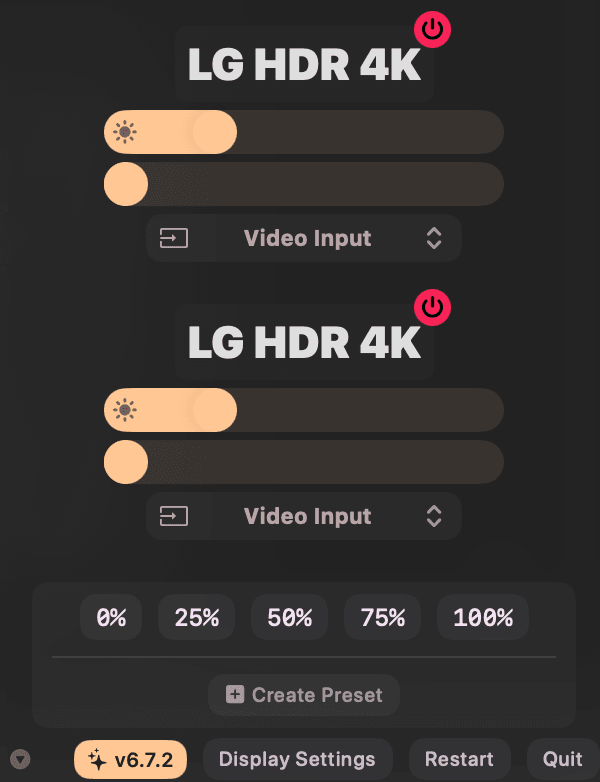
You can learn more about Lunar and download it on their GitHub here or on their website.
Note: Lunar is only available for macOS but I believe there’s an alternative app for Windows or Linux.
5. Amphetamine
Have you experienced the bitterness of seeing your screens and terminals rearranged after your Mac slept, especially when you have a multi monitor setup? Or when you closed your Mac?
Amphetamine can keep your Mac, and optionally its display(s), awake through a super simple on/off switch, or automatically through easy-to-configure Triggers. You can even automate it by enabling it when you connect to a specific Wi-Fi and Network.
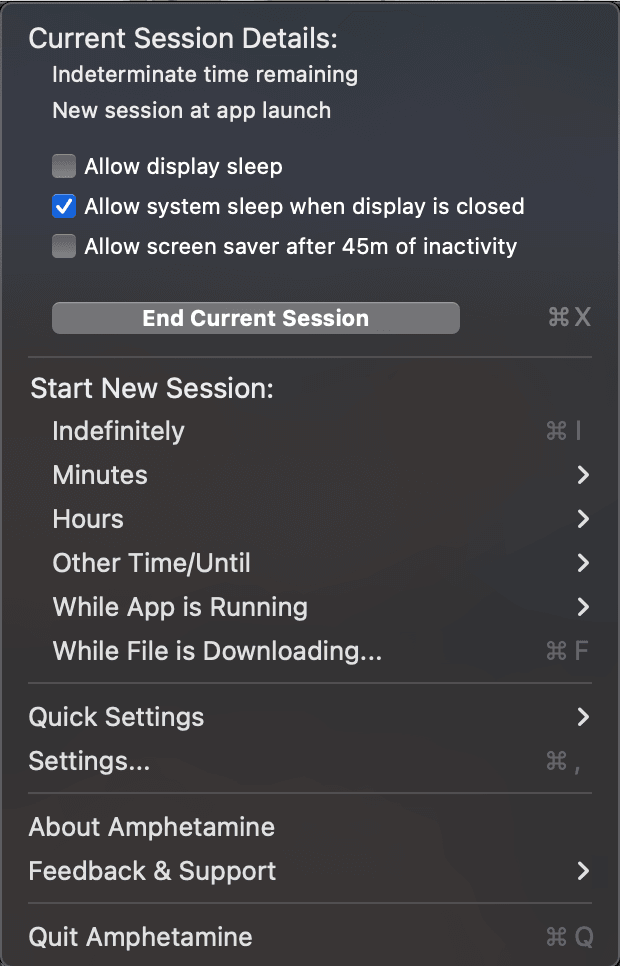
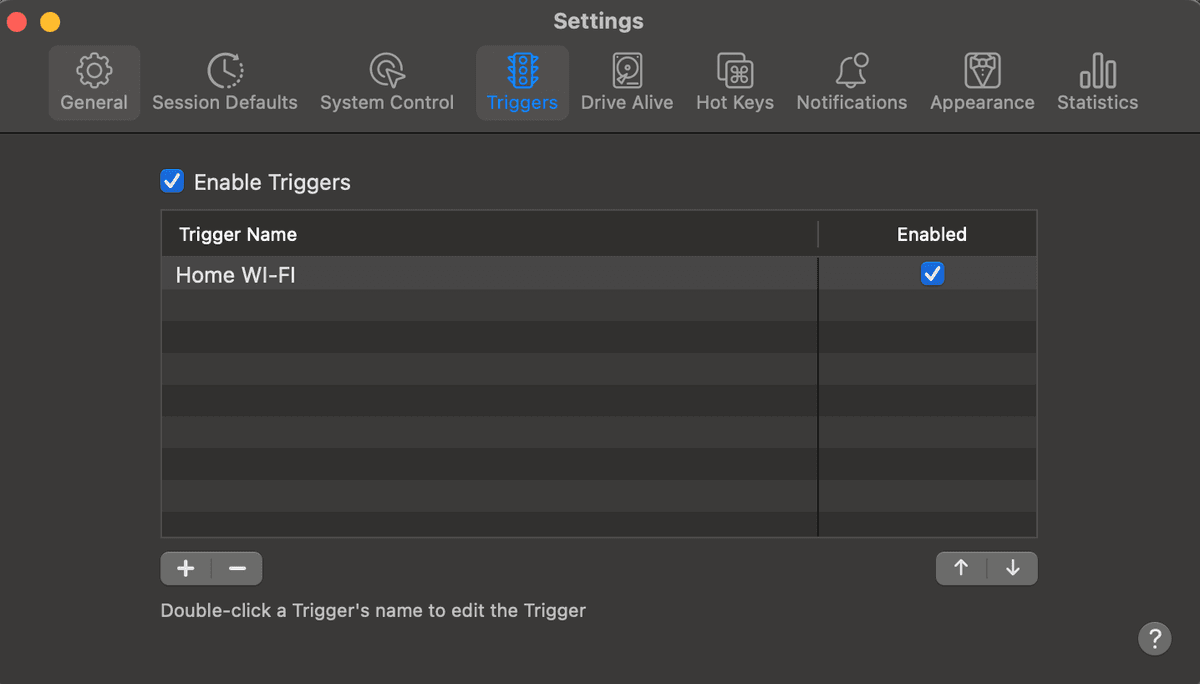
You can learn more about Amphetamine and download it on App Store here.
Note: Amphetamine is only available for macOS but I believe there’s an alternative app for Windows or Linux.
6. Grammarly
Grammarly is a Free AI writing and grammar checking assistance. Writing is an essential part of our job as Software Engineers and that’s why proper writing is vital. As a non-native English speaker, I’ve found Grammaryl as a must-have tool to check and improve my writing.
You can learn more about Grammarly here and download it from here. There’s also a Chrome extension that you can install from here.
Conclusion
In this article I shared 6 of my favorite tools I use daily to improve my productivity and daily work routine:
- Refined GitHub
- Maccy
- Rectangle
- Lunar
- Amphetamine
- Grammarly
Make your environment, tools, and setup work for you, not against you.